The builder brief
What do I know before the first call?
A brief on every family, written from their board: who they are, how ready they are, and where to start the call.
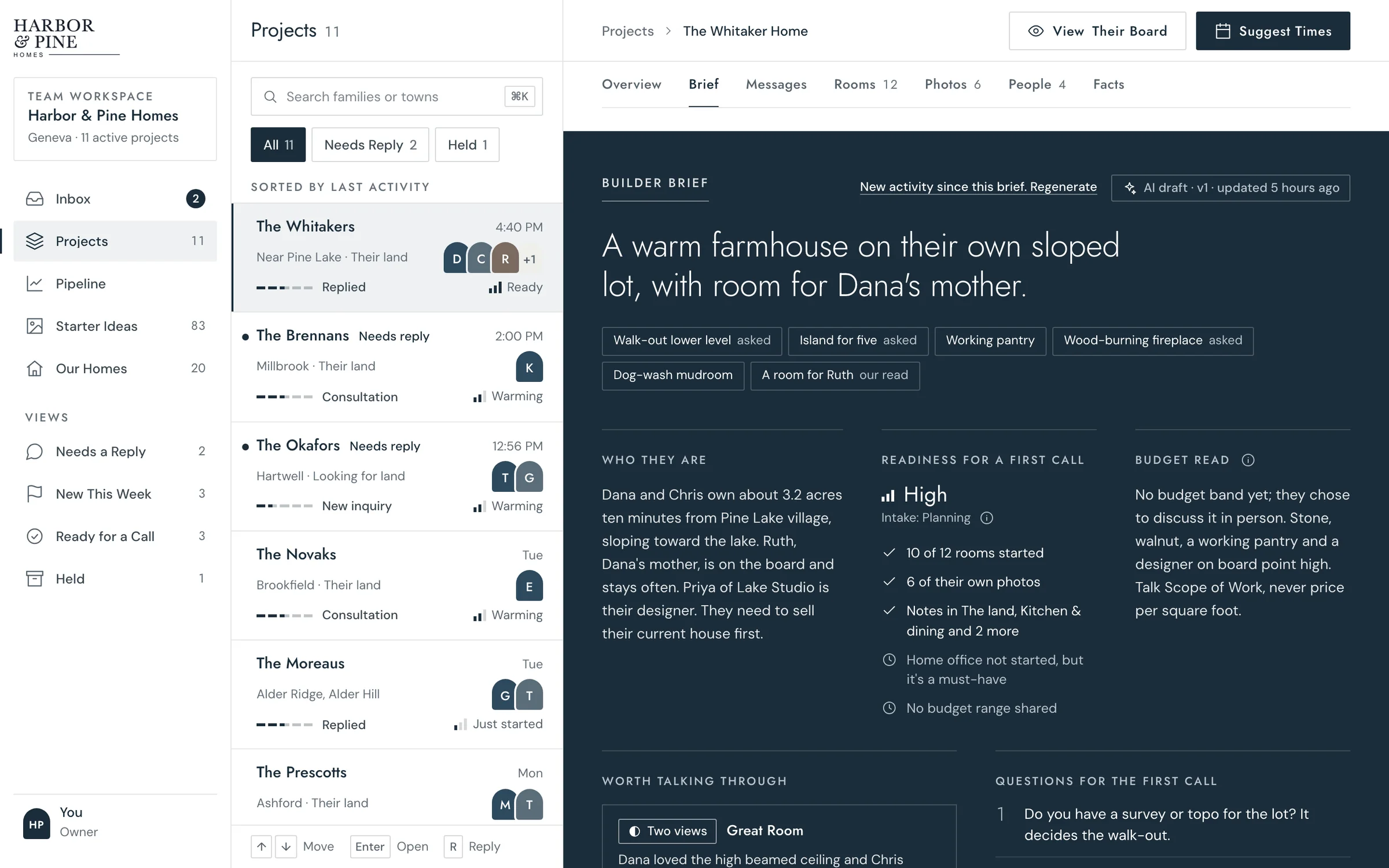
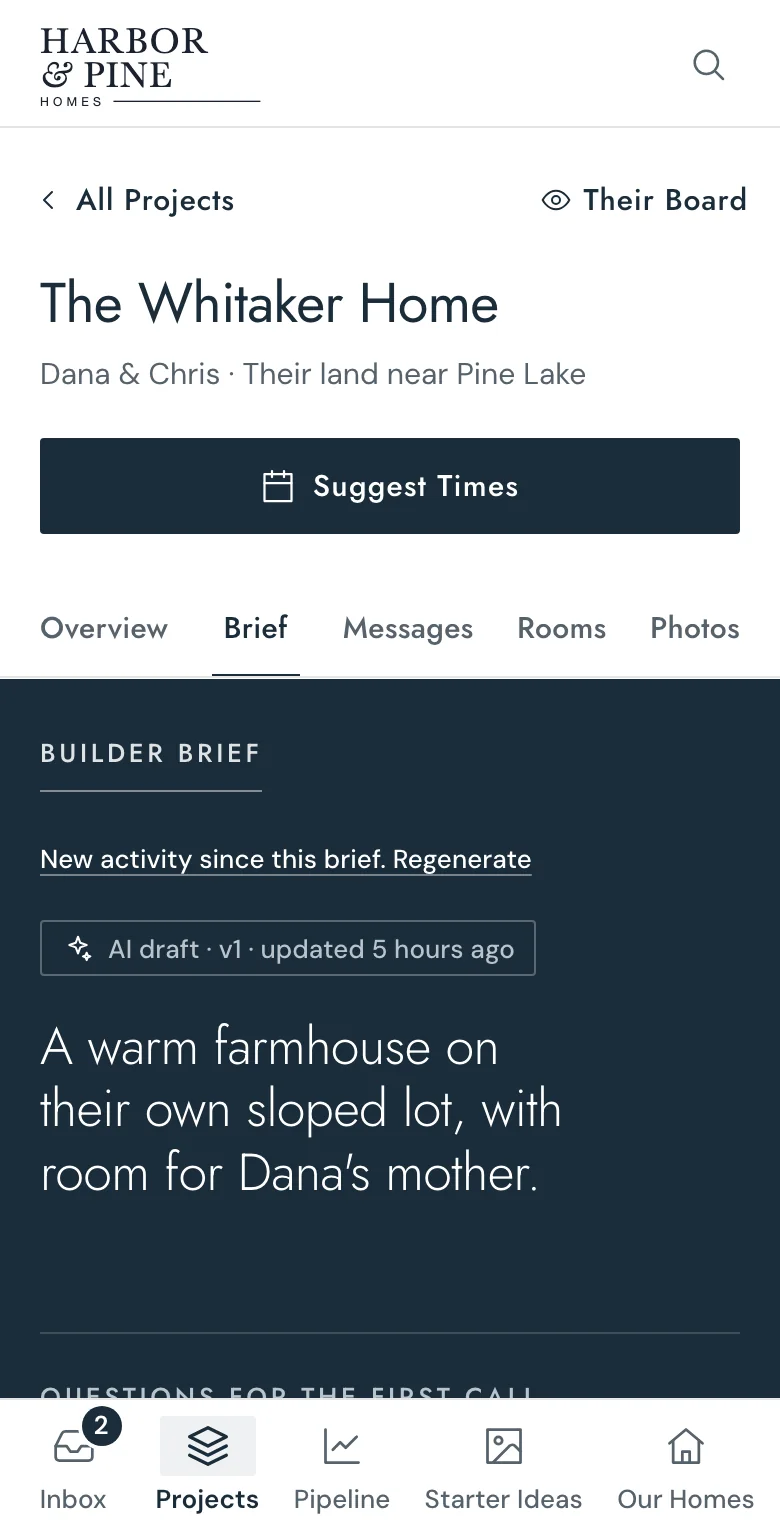
What’s in a brief
Eight things you’d ask, answered before you ask.
Every brief follows the same order, so your team knows where to look before every call.
- 01The family in one sentence.What they’re building and why, the way you’d say it to your team.
- 02What they asked for.Their must-haves as tags, and the ones we read from their board.
- 03Who they are.Where they’d build, who lives there, who else is involved.
- 04How ready they are.Read from what they’ve done, with what’s still missing.
- 05A budget read.What they shared, and what their choices suggest. Never a guess at a number.
- 06Worth talking through.Where two of them see a room differently, with a question to open it.
- 07Questions for the first call.Written from what’s still open on their board.
- 08A home to start from.The one of yours closest to what they love, and what to change.
How it’s written
Always current. Always yours.
Written from their board.Their answers, reactions, photos, notes and big choices. Nothing else.
Rewritten when they add more.Your team sees “New activity since this brief” and rewrites it in one click.
Your team corrects it.Fix anything it gets wrong. Your correction becomes part of the next one.
Straight into your call notes.One click copies the brief, ready for the call or your own system.
A reply started for you.The reply box can start from its first questions, labeled as a draft to edit before sending.
Only your team ever sees it.Families and their guests never see the brief, the readiness read or your notes.
Questions
Short answers.
- When is the first brief written?
- After the family’s first reaction, photo, note or message, so there’s something real to read.
- Is it written by AI?
- AI drafts it from their board and it’s labeled that way. Your team has the final say.
- Can families see it?
- Never. Not the brief, not the readiness read, not your team’s notes.
- What if it gets something wrong?
- Correct it right there. The next brief takes your correction into account.
- Does it guess their budget?
- No. It says what they shared, or that they haven’t, and what their choices point to.
- Who can see it on our team?
- Everyone on your team with access to the workspace.